

What are Pre-call Flows?
A pre-call flow is a workflow that runs the moment a call starts, before the agent says its first word. The agent waits for the flow to finish and uses its result to shape the conversation that’s about to happen. This lets you prepare each call with fresh, up-to-date information:- Look up the caller in your CRM or database and greet them by name
- Inject context into the agent’s prompt for this specific call
- Set dynamic variables the agent will use throughout the conversation
- Gate the call: decide whether it should continue at all (for example, block a number that isn’t on your allowlist)
Pre-call flows are the opposite end of the call from post-call flows. A pre-call flow runs before the agent greets; a post-call flow runs after the call ends.
How it works
When a call comes in (or an outbound call connects), Diga runs every pre-call flow assigned to the agent, waits for them to respond, applies the result, and only then lets the agent begin:1
The call starts
A caller dials your number, or an outbound call is placed. The agent does not greet yet.
2
Pre-call flows run
Diga sends the call data to each assigned pre-call flow and waits for a response. Your flow can query any external service, run logic, and decide what the agent should know.
3
The flow returns data
Each flow ends with the Return Call Data action, sending back an optional prompt addition and a set of dynamic variables.
4
The conversation begins
Diga merges the returned data into the call and the agent greets the caller, now armed with the prompt and variables your flow provided.
Build a Pre-call Flow
1
Create a workflow
From the Workflows section, create a new workflow (from scratch or a template). See Creating Workflows.
2
Select the Pre-Call trigger
Choose the Diga piece and select the Pre-Call trigger. This tells Diga to run the flow at the start of a call and wait for its result.
3
Configure the trigger
The Pre-Call trigger has two settings:
4
Add your steps
Add any actions you need: query a database, call your CRM, run a condition, transform data. Use the call data from the trigger (such as the caller’s phone number) to look up the right record.
5
End with Return Call Data
The last step must be the Diga Return Call Data action. This is what sends the prompt addition and dynamic variables back to the agent.
6
Publish and enable
Publish the workflow and make sure it’s enabled. Then assign it to an agent (see below).
The Return Call Data action
This action defines what the flow hands back to the agent. Both fields are optional — use either, both, or neither.Example
A flow that looks up the caller in a CRM and personalizes the agent:{{customer_name}}, {{plan_tier}}, and {{last_order}} anywhere in the prompt, greeting, conversation nodes, or branch conditions.
Assign Pre-call Flows to an Agent
How you assign a pre-call flow depends on the type of agent.- Single-prompt agents
- Conversational path agents
Open the agent and go to its Workflows section. Add the pre-call flow there, the same way you add post-call and during-call flows. Each flow shows a Pre-call badge so you can tell them apart.You can assign multiple pre-call flows to the same agent.
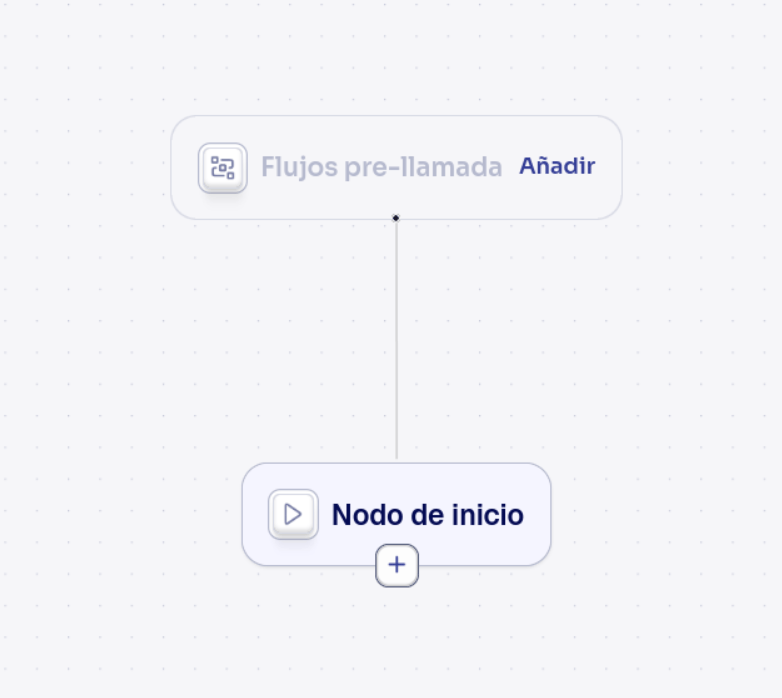
Like other flows, pre-call flows are assigned per agent version. The flow must be published and enabled before it will run.
Multiple pre-call flows
You can assign more than one pre-call flow to the same agent or path. They all run, and their results are merged:- Prompt additions are combined together.
- Dynamic variables are merged. If two flows set the same variable, the merge follows a consistent order, so later flows override earlier ones.
Gating a call
Pre-call flows can stop a call before it begins. This is controlled per flow by the Abort call on failure setting:Abort call on failure — enabled
Abort call on failure — enabled
If the flow fails, times out, or returns invalid data, the call is ended immediately. On an inbound call the caller is disconnected; on an outbound call the number is never dialed.Use this when the flow is a hard requirement — for example, an eligibility or allowlist check that must pass before anyone talks to the agent.
Abort call on failure — disabled (default)
Abort call on failure — disabled (default)
If the flow fails or times out, the call continues normally, just without that flow’s output. The caller notices nothing.Use this when the flow only enriches the call (nice-to-have context) and shouldn’t block the conversation if your external service is slow or down.
Common use cases
Personalize the greeting
Personalize the greeting
Look up the caller by phone number and return their name and account details as dynamic variables, so the agent can greet them personally from the very first sentence.
Route based on context
Route based on context
Check the caller’s status (VIP, overdue invoice, open ticket) and return variables that your conversational path uses in its branch conditions to send the call down the right path.
Allow or block calls
Allow or block calls
Validate the caller against an allowlist, blocklist, or business hours. Enable Abort call on failure so calls that don’t qualify never reach the agent.
Add per-call instructions
Add per-call instructions
Return a prompt addition that adapts the agent’s behavior for this specific call — for example, switching tone for a complaint, or adding compliance language for certain regions.
Next Steps
The Diga piece
Full reference for the Pre-Call trigger and Return Call Data action.
Dynamic variables
Use the variables your flow produces across the conversation.
Node types
The Pre-call flows node in the conversational path editor.
Creating workflows
Build the flow step by step in the visual builder.