

Why Assign Workflows?
Workflows with Diga triggers (Pre-Call, Call Finished, and Function Call) only execute for agents they’re assigned to. This lets you:- Use different workflows for different agents
- Control which automations execute for each agent
- Test workflows with a specific agent before applying them to others
Prerequisite: The workflow must be published and enabled before assigning it to an agent. If you need to create a workflow first, see Creating Workflows.
Assigning a Workflow
1
Access your agent
From the dashboard, go to the Agents section and select the agent you want to assign workflows to.
2
Go to the Workflows section
In the agent configuration, find the Workflows section. Here you’ll see currently assigned workflows and can add new ones.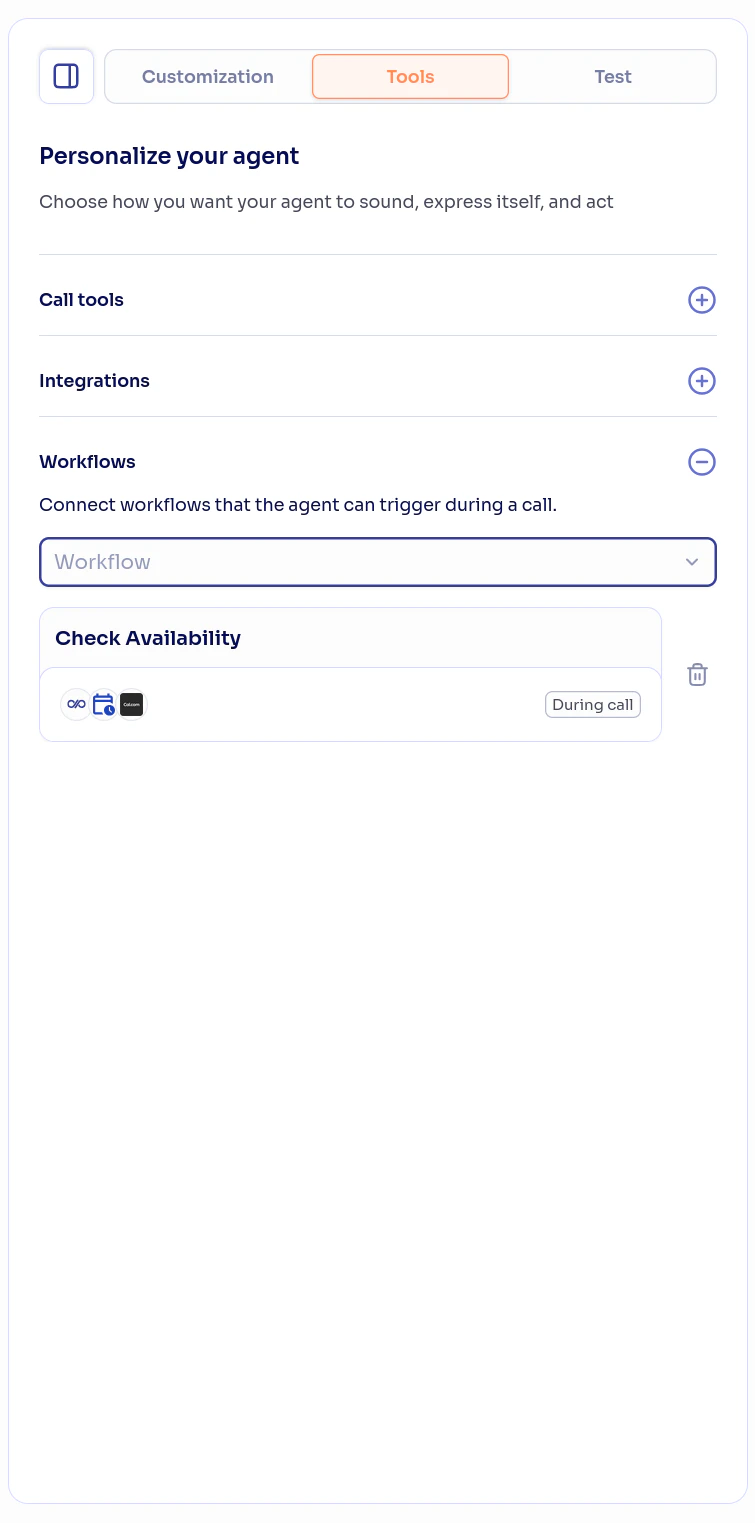
3
Assign pre-call workflows
Select the workflows you want to run before each call starts. They appear with a Pre-call badge. Pre-call flows run before the agent greets and can personalize the prompt, set dynamic variables, or block the call. You can assign multiple pre-call workflows to the same agent.For how they work, see Pre-call Flows.
4
Assign post-call workflows
Select the workflows you want to execute when this agent’s calls end. You can assign multiple post-call workflows to the same agent — all of them will execute when the call ends.For how they work, see Post-call Flows.
5
Assign during-call workflows
Select the workflows you want the agent to use as tools during conversations. You can assign multiple during-call workflows to the same agent.Each during-call workflow appears as an available tool for the agent. The agent will decide which one to use based on the conversation context and the description you configured in the Function Call trigger.For how they work, see During-call Flows.
6
Save changes
Changes are saved automatically. Assigned workflows will be active on the agent’s next call.
Post-call vs During call
Workflows and Agent Versions
Workflows are assigned to specific agent versions. This means:- Different versions of the same agent can have different workflows
- You can test new workflows on a development version without affecting the production version
- When creating a new version, assigned workflows are not automatically copied
Verifying the Assignment
After assigning workflows, verify everything works correctly:- Make a test call with the agent
- For post-call workflows: verify the action executed after hanging up (email sent, record created, etc.)
- For during-call workflows: during the call, ask the agent to execute the action (e.g., “check my availability for tomorrow”)
- Check the workflow execution history to confirm it ran successfully
Next Steps
The Diga piece
Learn about the available triggers and actions in detail.
Test calls
Test your agents with assigned workflows.
Create workflows
Create new workflows for your agents.

Version control
Manage agent versions with different workflows.