

Introduction
Dynamic variables allow you to inject personalized data into your agent’s responses for each specific call. Using the{{variable_name}} syntax, you can create agents that adapt to different contexts while maintaining consistent conversation flows.
Common use cases
- Personalized greetings: “Hello
{{customer_name}}, I’m calling to confirm your interest in the{{form_type}}form” - Contextual responses: “I see you’re calling about order
{{order_number}}” - Time-sensitive information: Reference
{{appointment_date}}or{{deadline}}or{{current_time}}
Where variables work
Dynamic variables can be used in:- Agent prompt: Instructions and agent personality
- Initial greeting: Welcome message to the user
- Conversation nodes: Instructions in a specific node
- Branch conditions: The conditions that route between nodes in a conversational path
- Integrations and flows: Pass variable values into flows and their integrations to send personalized data to external systems
Add and test variables
1
Add variables in your prompts
Dynamic variables are placeholders surrounded by double curly braces. For example:When typing in the prompt or greeting editor, typing 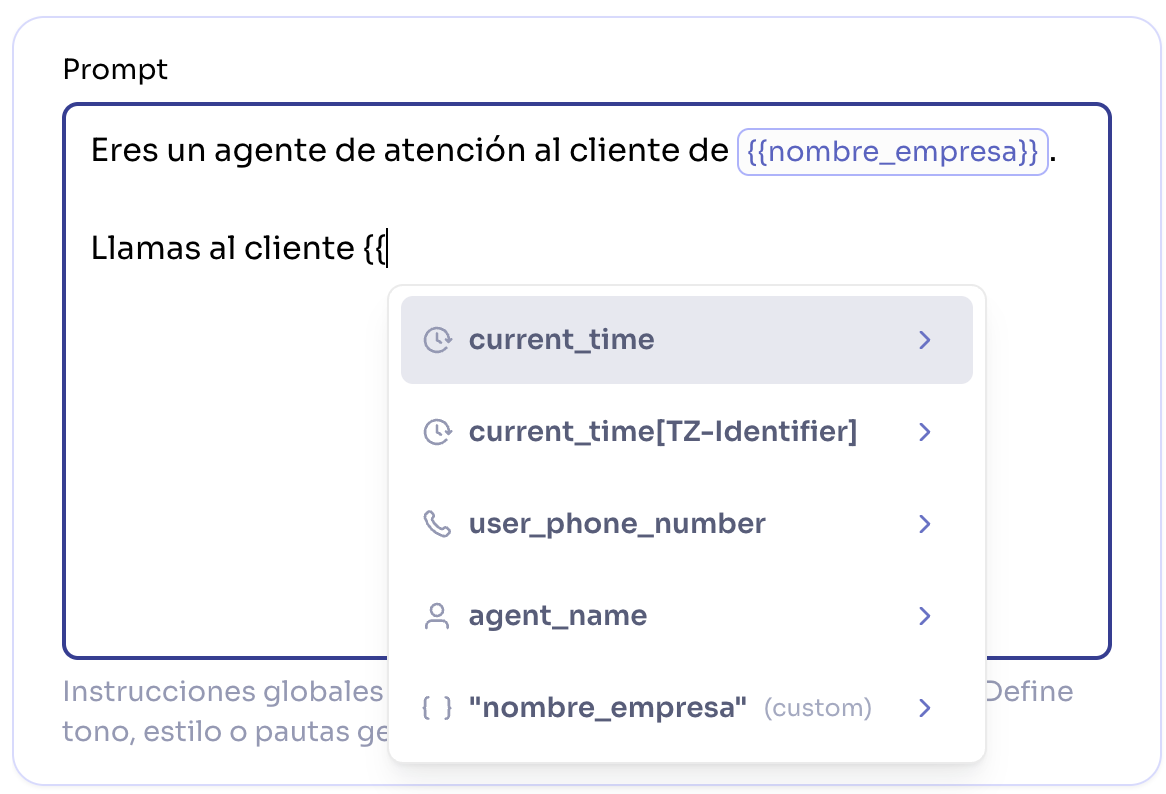
{{ will display a menu with available variables.2
Test your variables
Before publishing, you can test your variables using the test panel. The values you enter here will simulate the data you’ll receive in production.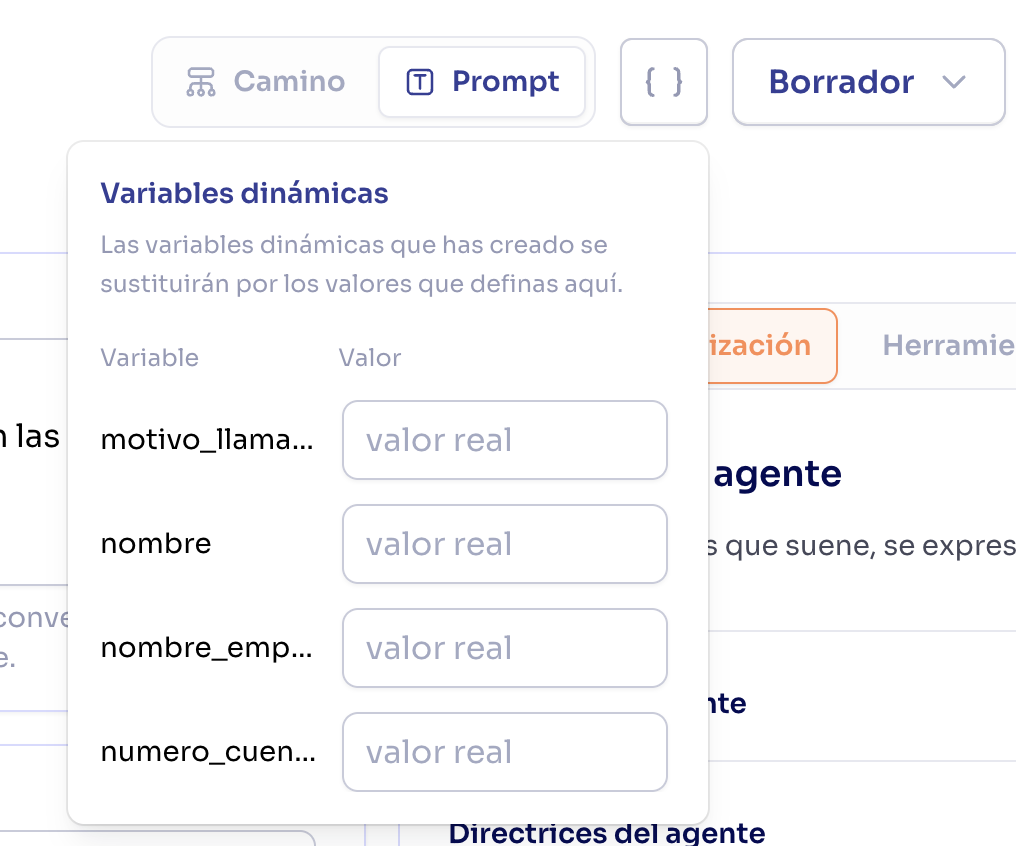
3
Configure default values (optional)
The values you set in that panel when creating a version will be used as defaults if no other values are passed when making the call.
Recommendation: Use string (text) values in
dynamic_variables. Other data types such as numbers or booleans are accepted, but their values are converted to text when inserted into prompts and conditions, so using strings keeps the result predictable.System variables
Diga automatically provides these system variables - no configuration required:Timezone examples
To get the time in a specific timezone, use the syntax{{current_time[timezone]}}:
Variables from workflows
Pre-call flows can set dynamic variables for a call. For example, a flow that looks up the caller in your CRM can return their name, plan, or account status, and those values become variables you can use anywhere in the agent. When a pre-call flow provides a variable, it appears in the agent’s dynamic variables panel as read-only, labeled “Provided by [flow name]”. You don’t set its value here — the flow fills it in at call time. To change what the flow returns, use the edit shortcut next to it to jump to the flow. These variables also show up in the{{ autocomplete in your prompt and greeting editors, alongside your own variables and the system ones, so you can insert them without typing them by hand.
Variable precedence
When the same variable is defined in multiple places, the following priority applies (highest to lowest):- Pre-call flow variables (highest priority): Values returned by a pre-call flow override everything else
- Call variables: Specific values for each call, for example passed via the API
- Agent variables: Default values configured in the agent. These are the variables previously configured in the variables panel.
This means you can set default values at the agent level and override them for specific calls when needed.
Precedence example
Best practices
Define default values
Define default values
Configure default values at the agent level for frequently used variables. This prevents your prompts from showing empty variables.
Test with and without variables
Test with and without variables
Always test your agent both with defined variables and without them to ensure it handles both cases correctly.
Don't store sensitive data
Don't store sensitive data
Avoid storing sensitive information like passwords, API keys, or financial data in dynamic variables: